How to Get More Wishlists During Steam Next Fest
What I would actually do before, during and after Steam Next Fest, with hard numbers on how crowded the festival has become.
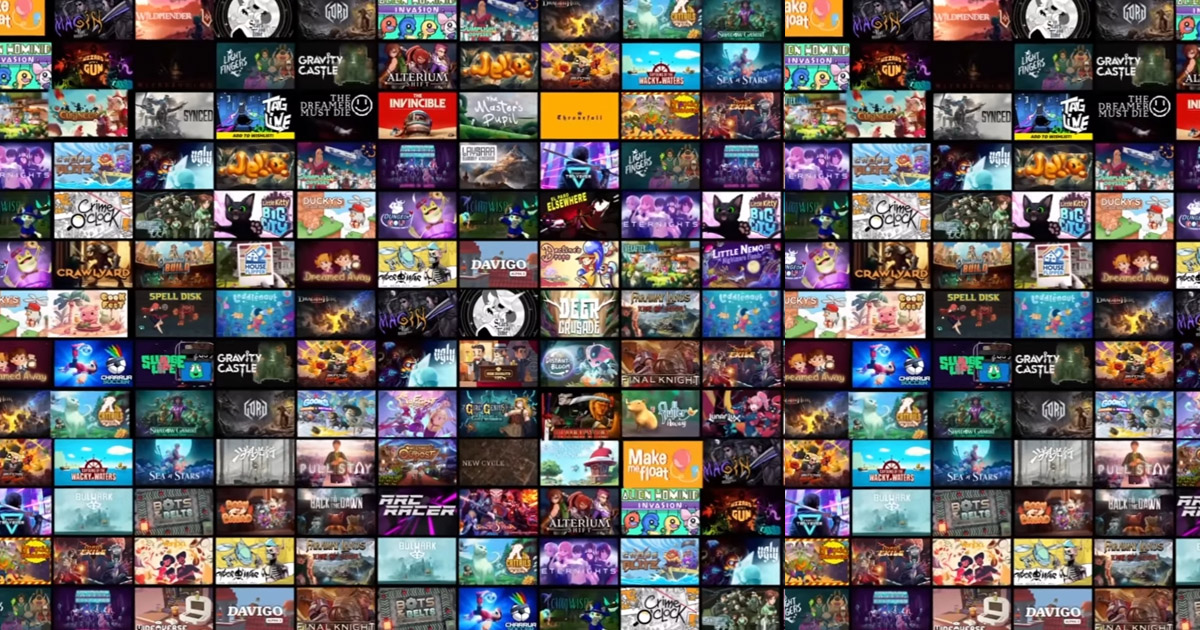
Steam Next Fest can be a terrific opportunity to get people interested in your game. It can also be a fairly sobering experience if you've spent six months convincing yourself that having a demo in the festival will do the marketing for you.
It won't. At least, I wouldn't bank on it.
How competitive is Next Fest now?
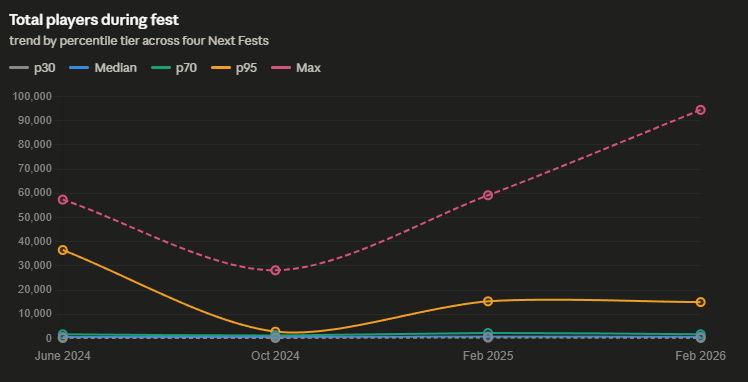
The numbers surprised me. GameDiscoverCo counted 4,382 demos in June 2026, compared with 2,645 in June 2025. That's roughly a 66% increase in a year. That's an awful lot of games asking for the same attention.
There's another useful benchmark. In Chris Zukowski's February 2026 developer survey, the median respondent reported 806 wishlists gained during the festival. That's a survey of participating developers, not a prediction for every game. GameDiscoverCo's broader estimates tend to be lower. The point is, your own game and audience matter much more than somebody else's success story.
Just make a good game, Duh!
And then... Make sure your demo is polished and smooth as butter. I know, sounds obvious. But a crash after 10 minutes isn't a marketing strategy. Only hit Next-Fest when you are really, really, really, ready.
Store Page
Oh. your store page must be perfect. The capsule has to communicate the genre. The trailer should show gameplay, ideally early. The description has to say what makes the game worth playing, not just tell me it's an immersive experience.
This is a soft launch of your game. You only get ONE CHANCE to enter the Festival - make it count!
Tags - don't forget the tags!
Valve says its Next Fest categories and Steam tags help determine where games appear in the festival. For the first days, much of the event is randomized; later, some carousels become personalized using player behaviour. That's worth understanding before you obsess over an exact broadcast hour.
Where a broadcast helps
One particularly interesting thing about Steam Broadcasting is that it isn't necessarily confined to your own store page. Valve documents appearances on the game's store page and the Community Broadcast hub, with potential homepage exposure for popular streams. Broadcasts can also be configured for developer or publisher homepages and relevant sale pages. Those additional placements depend on the circumstances, so I wouldn't sell them as automatic.
For Next Fest specifically, developer livestreams have their own tab. Valve stopped the old official Next Fest livestream format in October 2024. A stream can support discovery, but don't confuse it with a guaranteed featured position.
My approach would be to prepare footage demonstrating three different parts of the game: what the player does, what changes as they progress, and the moment that makes the game memorable. Then I'd arrange genuine live sessions for questions and use continuous gameplay coverage between them where useful.
Hop onto Broadcastloop - Stop the broadcast. Use OBS for a live session and then start your looping broadcast again.
The wishlist plan I'd actually follow
- A week or more beforehand: audit the store page, test the demo and create a Steam event explaining what players can expect.
- Before the festival starts: test the broadcast permissions, App ID, video and audio. Don't do this when you should be answering players.
- During the festival: send people directly to the main Steam game page, ask them to try the demo, and invite them to wishlist if they enjoy it.
- After the festival: compare daily wishlist additions and demo activity with your baseline, and write down what you learned.
Steam's wishlist report updates daily, so give it time to catch up. You won't prove causality from one chart, but you can see whether the overall campaign got traction.
I built BroadcastLoop because keeping gameplay available on Steam shouldn't require a dedicated PC humming away all week. If that's what you need, you can try it free. For the preparation side, my Next Fest broadcasting checklist covers the bits I'd rather not discover five minutes before showtime.